Why Is My Cordless Robotic Pool Cleaner Battery Draining So Fast?
Cordless Robotic Pool Cleaner
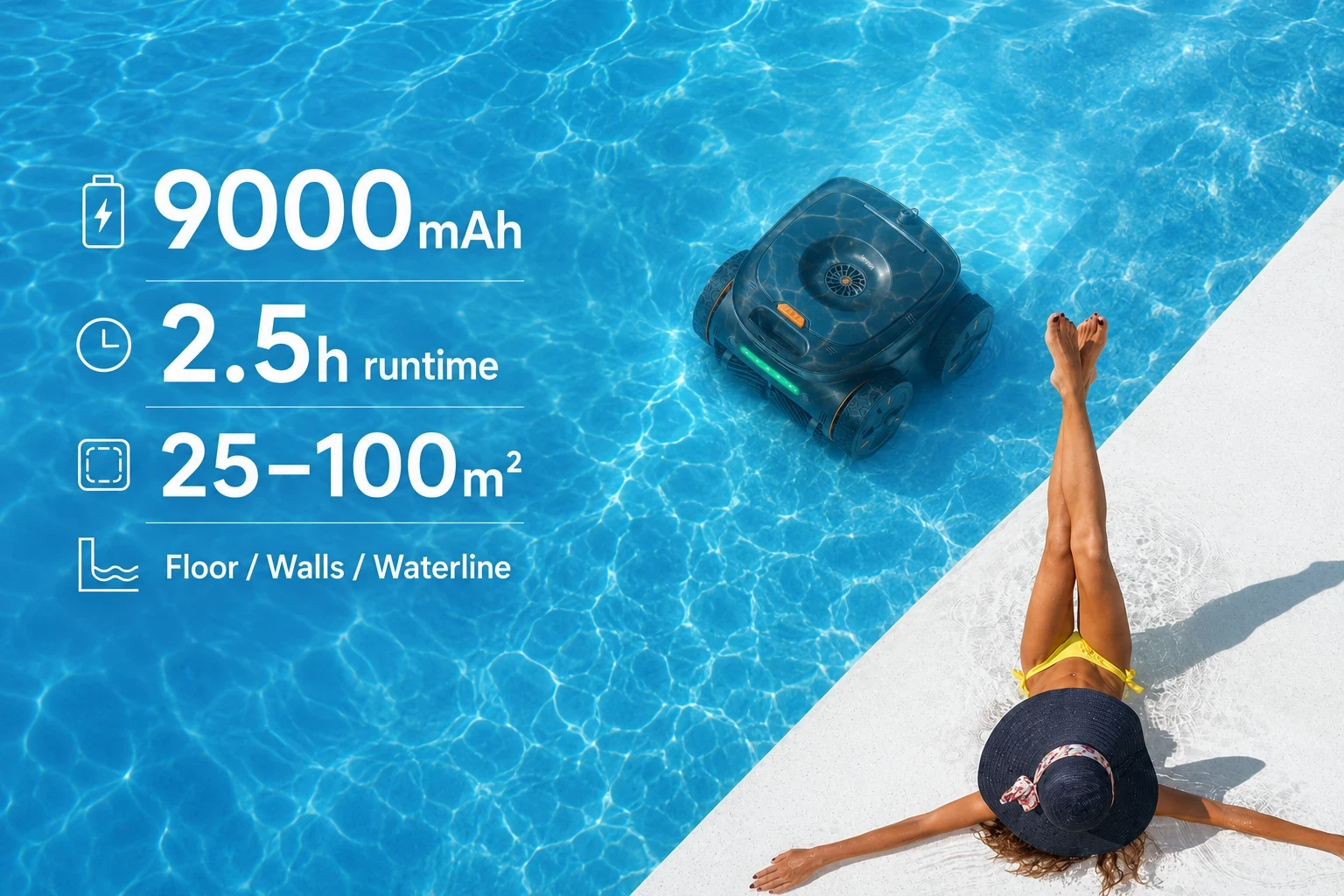
A cordless robotic pool cleaner is designed to complete its cleaning cycle without being connected to an external power cable. When the battery is working normally, the robot should provide enough runtime to clean the pool area specified for that model.
But what if your pool robot used to complete a full cleaning cycle and now stops much earlier? Or what if a newly purchased cordless pool cleaner delivers significantly less runtime than you expected?
A fast-draining battery does not automatically mean the battery is defective.
Cleaning mode, wall climbing, debris load, clogged filters, mechanical resistance, water conditions, charging problems, navigation behavior and normal battery aging can all reduce the effective runtime of a cordless robotic pool cleaner.
The key is to determine whether you are dealing with a battery problem or an operating-condition problem.
This guide explains the most common reasons a robotic pool cleaner battery drains quickly, how to troubleshoot short runtime, and when battery replacement may actually be necessary.
Why Is My Cordless Robotic Pool Cleaner Battery Draining Quickly?
The most common reasons include:
Battery aging
Incomplete charging
Intensive cleaning modes
Frequent wall climbing
Waterline cleaning
Heavy debris
A clogged filter basket
Blocked brushes, wheels or tracks
Inefficient navigation
Challenging pool geometry
Temperature conditions
Incorrect long-term storage
Some of these problems can be corrected immediately. Others indicate gradual battery degradation.
Before assuming that the battery needs to be replaced, it is worth checking the entire cleaning system.
Battery Drain: Quick Troubleshooting Table
Symptom | Possible Cause | What to Check |
|---|---|---|
Runtime gradually becomes shorter | Battery aging | Compare current runtime with previous performance |
Runtime suddenly drops | Charging issue or operating condition | Charger, charging contacts and cleaning mode |
Robot stops during wall cleaning | Higher energy demand | Wall mode, traction and filter condition |
Robot runs but cleans very little | Navigation or movement problem | Wheels, tracks, brushes and obstacles |
Runtime drops when pool is dirty | Heavy debris load | Filter basket and intake |
Robot repeatedly turns or gets stuck | Pool layout or navigation issue | Obstacles, drains, steps and movement system |
Robot shows full charge but stops early | Battery, charger or control issue | Follow manufacturer diagnostics |
Robot takes unusually long to charge | Charging or battery issue | Charger, contacts and battery condition |
Performance decreases after storage | Battery storage condition | Charge state and storage environment |
The pattern of the problem can provide useful clues.
A gradual reduction in runtime is more consistent with normal rechargeable battery aging, while a sudden change may indicate charging, mechanical or operating problems.
1. The Battery Is Aging
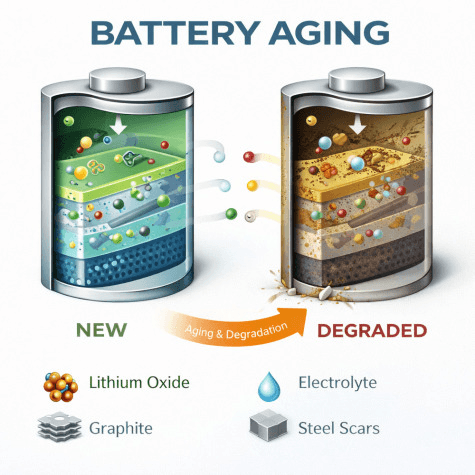
Rechargeable batteries gradually lose their ability to store the same amount of energy they could when new.
Every time a cordless robotic pool cleaner is used and recharged, the battery goes through part of a charge cycle. After repeated cycles, effective battery capacity can slowly decline.
This does not necessarily mean that something is wrong with the product. Capacity loss is a normal characteristic of rechargeable batteries.
You may notice that a robot that previously operated long enough to finish the entire pool begins returning shorter cleaning times.
For example, the cleaner may initially complete:
Floor → walls → waterline
but eventually stop before finishing the same route.
If the reduction happens gradually over a long period of use, battery aging becomes a likely explanation.
HydraRobo's existing guidance also notes that battery degradation can result in reduced runtime as robotic pool cleaners age.
Signs of Battery Aging
Possible signs include:
Shorter runtime than when the cleaner was new
Increasingly frequent charging
Cleaner stopping before completing familiar cleaning cycles
Battery reaching low power sooner than expected
Charging behavior becoming inconsistent
However, reduced runtime alone does not prove that the battery is failing.
Always check the filter, drive components, charger and cleaning mode first.
2. The Battery May Not Be Fully Charging
Sometimes the problem is not that the battery drains too quickly.
The battery may simply not be reaching a full charge.
This distinction is important.
If a charger, charging dock, power connection or charging contact is not working correctly, the robot can appear ready for cleaning even though the battery has stored less energy than expected.
Before diagnosing battery degradation, check:
Is the charger properly connected?
Is the power supply working?
Are charging contacts clean?
Are the charging contacts completely dry where required?
Does the charging indicator behave normally?
Is the recommended charging time being completed?
Are you using the correct charger for the cleaner?
If the manufacturer provides an app or battery-status indicator, check whether the cleaner actually reaches the expected full-charge status.
Charging contacts should also be kept clean and maintained according to manufacturer instructions. Proper charging and clean connections are commonly recommended for cordless pool robots.
3. High-Power Cleaning Modes Use More Battery
Many modern cordless robotic pool cleaners provide multiple cleaning modes.
Depending on the model, these may include:
Floor only
Floor and walls
Floor, walls and waterline
Waterline cleaning
Surface skimming
Deep cleaning
High-suction cleaning
Eco or maintenance cleaning
These modes do not necessarily use the same amount of energy.
A robot operating its drive motors, suction pump, brushes, sensors and wall-climbing system simultaneously is performing a more demanding task than one travelling across a relatively clean pool floor.
This means the longest advertised runtime for a robotic pool cleaner may not apply to every cleaning mode.
HydraRobo's current cordless pool cleaner guidance already highlights the importance of comparing runtime by cleaning mode rather than assuming that a manufacturer's maximum runtime applies to every type of cleaning.
If your battery seems to drain faster after switching from standard cleaning to a more intensive mode, the change may be normal.

4. Wall Climbing Can Increase Energy Consumption
Wall climbing is one of the most demanding tasks for many robotic pool cleaners.
On the pool floor, the robot primarily needs to move horizontally while maintaining sufficient suction and traction.
When climbing a wall, it must overcome gravity while maintaining contact with the vertical surface.
That may require additional:
Drive power
Traction
Pump operation
Position adjustment
Navigation activity
If the robot repeatedly climbs and descends the walls during a cleaning cycle, effective battery runtime may be shorter than during floor-only cleaning.
This is one reason manufacturers may publish different runtimes for different cleaning functions. Current premium cordless robots can show substantial runtime differences between floor, wall/waterline and surface-cleaning modes.
Does Wall Climbing Mean Something Is Wrong With the Battery?
No.
A reduction in runtime during intensive wall cleaning is not, by itself, evidence of battery damage.
Instead, compare the robot's performance under similar conditions.
If it previously completed the same floor-and-wall program but now consistently stops much earlier, then further troubleshooting may be needed.
5. Waterline Cleaning Can Also Use More Power
Waterline cleaning requires the robot to reach the upper edge of the pool and maintain a suitable cleaning position.
Depending on the design, this can involve:
Climbing the wall
Maintaining suction or traction
Moving laterally along the waterline
Operating active brushes
Repositioning repeatedly
Returning to the floor
All of these actions require energy.
A pool robot that spends significant time cleaning walls and the waterline may therefore have a different runtime from the same robot operating in a less demanding mode.
If battery runtime is important to you, always ask:
What cleaning functions were active when the runtime was measured?
That question is much more useful than simply comparing the maximum number of operating hours advertised by different manufacturers.
6. A Dirty Filter Can Reduce Cleaning Efficiency
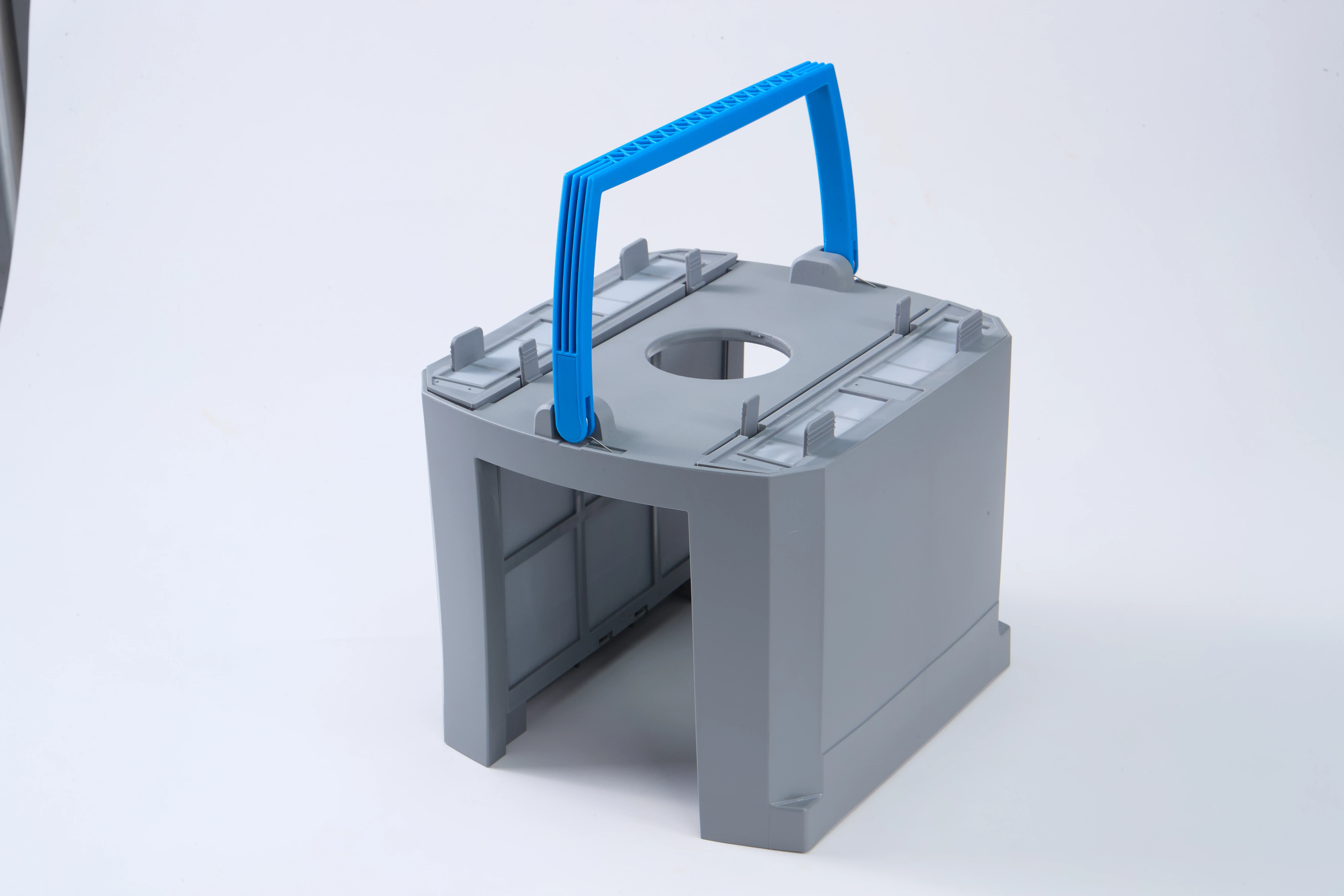
One of the easiest things to check when a pool robot seems to be losing performance is the filter.
As the cleaner collects:
Leaves
Hair
Sand
Dirt
Pollen
Organic material
Fine particles
the filter basket gradually fills.
If water flow becomes restricted, cleaning efficiency can decline.
The robot may continue operating while collecting debris less effectively, meaning more time and movement are required to achieve the same cleaning result.
HydraRobo's own cordless pool cleaner guidance recommends checking and rinsing the filter when cleaning performance declines.
What Should You Do?
Remove the filter basket after cleaning.
Empty large debris.
Rinse the basket or filter media according to the manufacturer's instructions.
Inspect the intake for blockage.
Make sure the filter is correctly reinstalled.
A clean filtration system helps the cleaner operate under the conditions for which its suction system was designed.
7. Heavy Debris Makes the Robot Work Harder
A pool covered with fine dust is very different from a pool filled with leaves and debris after a storm.
Heavy contamination can increase the workload placed on the cleaner.
The robot may need to:
Collect more material
Carry a heavier filter load
Make additional cleaning passes
Navigate around large debris
Maintain stronger suction
Clean areas repeatedly
This can affect how much useful pool coverage the robot completes before the battery reaches its low-power threshold.
Manufacturer troubleshooting guidance also identifies debris load and demanding pool conditions as factors that can change cordless cleaner battery performance.
Should You Manually Remove Large Debris First?
For unusually heavy contamination, it can be beneficial to remove very large debris before running the robot.
This does not mean the robotic cleaner cannot handle leaves.
It simply prevents an unusually heavy debris load from consuming filter capacity immediately and allows the robot to focus on normal pool cleaning.
8. Hair, String or Debris May Be Restricting the Brushes
Your battery may be healthy while the mechanical system is wasting energy.
Hair, string, plant material and other debris can become wrapped around:
Brushes
Wheels
Axles
Tracks
Rollers
Intake components
If a motor has to overcome unnecessary mechanical resistance, the robot may consume energy without producing equivalent movement.
This can make the cleaner appear to have poor battery life.
Check the Movement System
With the cleaner powered off and handled according to the manufacturer's instructions:
Inspect the brushes.
Check for tangled hair or fibers.
Look around wheels and tracks.
Inspect visible intake openings.
Remove accessible debris as specified in the maintenance instructions.
If the cleaner moves more slowly than normal, makes unusual sounds or repeatedly struggles to turn, mechanical resistance should be investigated before replacing the battery.
9. Wheels or Tracks May Be Creating Extra Resistance
Movement components gradually become dirty or worn.
A tracked robotic pool cleaner depends on its tracks and rollers moving freely.
A wheeled pool robot similarly depends on its wheels, bearings and drive components operating correctly.
If resistance increases, the drive motors may need more energy to move the cleaner through the same route.
Possible symptoms include:
Slower movement
Difficulty turning
Repeated stopping
Poor wall climbing
Uneven movement
Failure to complete previous cleaning routes
These problems can easily be mistaken for reduced battery performance.
This is why battery troubleshooting should always include a basic mechanical inspection.
10. The Robot Is Getting Stuck and Wasting Battery
A robot does not have to completely stop to waste energy.
Imagine a cleaner repeatedly trying to escape from:
A main drain
A step
A narrow corner
A ladder
A ledge
A sharp transition
A sloped area
The robot may continue driving, reversing and turning while making little useful progress.
Battery power is still being consumed.
HydraRobo has previously identified pool obstacles, cleaning environment and movement conditions as common factors behind robotic pool cleaners becoming trapped or failing to complete cleaning cycles efficiently.
Look at Cleaning Coverage, Not Just Runtime
This is an important distinction.
A robot that runs for 180 minutes but spends 30 minutes repeatedly escaping one obstacle has not delivered 180 minutes of useful cleaning.
When assessing battery performance, watch how efficiently the robot is moving through the pool.
11. Inefficient Navigation Can Waste Stored Energy
Battery capacity tells you how much energy is available.
Navigation helps determine how effectively that energy is used.
A robotic pool cleaner that repeatedly travels across the same areas may waste battery power performing unnecessary movement.
A more systematic navigation strategy can potentially increase useful cleaning coverage without necessarily requiring a dramatically larger battery.
That is why one of the best ways to judge a cordless pool cleaner is:
Cleaning coverage per charge
rather than simply:
Battery capacity
or:
Maximum runtime
HydraRobo's cordless pool cleaner buying guidance similarly emphasizes whether a robot can complete the required pool within one charge rather than looking only at battery capacity.
12. Complex Pool Shapes Can Require More Energy
Pool geometry can influence how much movement a robot needs to make.
A simple rectangular pool generally creates a different navigation challenge from a pool containing:
Curved walls
Steps
Benches
Ledges
Slopes
Shallow zones
Sharp corners
Multiple depth transitions
Irregular shapes
The robot may need to turn and reposition more frequently.
That does not necessarily mean the battery is draining abnormally.
It may mean that the cleaning environment requires more movement to achieve similar coverage.
When comparing your robot's current runtime with previous performance, make sure the comparison is being made under similar pool conditions.
13. Water Temperature and Environmental Conditions Can Affect Battery Performance
Rechargeable batteries do not behave identically under every temperature condition.
Environmental temperature can influence available battery performance, and manufacturers generally specify an acceptable operating and storage temperature range for their products.
Some robotic pool cleaner manufacturers specifically note that colder water can reduce effective battery efficiency and runtime.
The practical recommendation is simple:
Use and charge the cleaner within the temperature conditions specified by its manufacturer.
Avoid trying to solve temperature-related battery performance by heating, cooling or modifying the battery yourself.
14. Incorrect Storage Can Reduce Battery Health
Cordless pool cleaners are often used seasonally.
A robot may be used heavily during summer and then stored for several months.
How the cleaner is stored matters.
Leaving a rechargeable battery completely depleted for a long period can be undesirable.
Extreme heat, freezing conditions and inappropriate long-term charging can also affect battery health.
Current manufacturer storage guidance commonly recommends keeping cordless robotic cleaners in a dry, temperature-controlled location and following the product-specific instructions for maintaining battery charge during long storage periods.
Before Long-Term Storage
Check the owner's manual.
Clean and dry the robot.
Clean the filter.
Store it away from direct sunlight and extreme temperatures.
Follow the manufacturer's recommended battery charge level.
Do not assume every battery should be stored at either 0% or 100%.
Different manufacturers may have different recommendations.
15. Leaving the Robot in the Pool Continuously May Increase Wear
A robotic pool cleaner is designed to operate underwater, but that does not necessarily mean every model should remain submerged permanently.
Long-term exposure to pool water can continuously expose components to:
Chlorine
Salt
Other pool chemicals
Moisture
UV exposure near the surface
Manufacturer recommendations vary, so the instructions for the specific robot should always take priority.
Some manufacturers recommend removing, rinsing and drying cordless robots between cycles rather than leaving them submerged continuously.
Keeping the cleaner properly maintained also protects charging contacts, seals and other components that can indirectly affect reliable battery operation.
16. Software or Firmware May Affect Energy Management
Modern robotic pool cleaners increasingly depend on software.
Navigation, motor control, cleaning modes, sensor activity and battery management may all be influenced by firmware.
If your cleaner supports firmware updates and battery performance changes unexpectedly, check whether the manufacturer has issued:
Firmware updates
App updates
Battery-management improvements
Troubleshooting instructions
Some manufacturers explicitly recommend keeping robotic pool cleaner firmware updated because software changes may improve operation and battery efficiency.
Do not install unofficial firmware or attempt to modify the battery-management system.
Use only updates provided through the manufacturer's official system.
Is the Battery Actually Bad? How to Find Out
Before deciding that the battery needs replacement, perform a simple comparison.
Step 1: Fully Charge the Cleaner
Follow the manufacturer's normal charging procedure.
Confirm that charging completes successfully.
Step 2: Clean the Filter
Start the test with an empty and clean filter basket.
Step 3: Check Wheels, Tracks and Brushes
Make sure the moving components are not restricted by hair, string or debris.
Step 4: Select a Normal Cleaning Mode
Avoid comparing today's high-power full-pool mode with an older floor-only runtime.
Use the same or similar mode whenever possible.
Step 5: Observe the Cleaning Cycle
Watch for:
Repeatedly getting stuck
Excessive wall climbing
Slow movement
Repeated turning
Poor traction
Unusual motor noise
Step 6: Record the Runtime
Measure how long the robot operates from a confirmed full charge.
Step 7: Repeat Under Similar Conditions
A single cleaning cycle may be affected by debris or unusual pool conditions.
If the runtime remains significantly shorter across several similar cycles, battery condition becomes more likely to be involved.
Battery Problem vs Cleaning-System Problem
Use this comparison as a starting point:
Battery Problem More Likely | Operating Problem More Likely |
|---|---|
Runtime gradually declines over time | Runtime changes with debris level |
Fully charged robot consistently stops early | Robot repeatedly gets stuck |
Similar short runtime in different modes | Runtime mainly drops during wall cleaning |
Battery no longer appears to hold charge | Filter is heavily clogged |
Charging behavior has become abnormal | Wheels or brushes are restricted |
Cleaner stops despite otherwise normal movement | Cleaner moves slowly or struggles to turn |
There can be overlap between these symptoms.
If troubleshooting does not identify the cause, contact the manufacturer or authorized service provider rather than opening a sealed battery compartment yourself.
How Much Battery Runtime Is Normal?
There is no universal runtime that applies to every cordless robotic pool cleaner.
Modern products vary substantially in:
Battery capacity
Motor design
Cleaning modes
Pool coverage
Navigation system
Suction power
Wall-climbing capability
Some robots may prioritize very long low-power operation, while others use more energy during intensive floor, wall and waterline cleaning.
The correct reference is therefore the specification for your particular model and cleaning mode.
If your cleaner is performing close to the manufacturer's expected runtime under similar conditions, shorter runtime than another model does not mean your battery is defective.
Why Maximum Advertised Runtime Can Be Misleading
Suppose a robotic pool cleaner is advertised as capable of operating for several hours.
That number may refer to:
Surface cleaning
Eco mode
Floor-only cleaning
A particular test environment
It may not represent simultaneous floor, wall and waterline cleaning.
This is why comparing two robotic pool cleaners simply as:
Robot A: 3 hours
Robot B: 5 hours
does not provide enough information.
You need to know:
What was the robot doing during those hours?
Current premium pool robots demonstrate this clearly, with some manufacturers publishing substantially longer runtime for surface skimming than for floor, wall or waterline cleaning.
Does a Bigger Battery Fix Short Runtime?
Not necessarily.
Battery capacity is important, but a larger battery cannot compensate for every efficiency problem.
Real-world cleaning depends on the complete system:
Battery + Motors + Suction + Filtration + Navigation + Traction + Software
A robot with a large battery but inefficient navigation could spend considerable energy repeatedly cleaning the same area.
Another robot with a smaller battery but efficient navigation may complete more useful pool coverage.
For this reason, battery capacity should not be treated as an independent measure of pool-cleaning performance.
How to Make a Cordless Pool Cleaner Battery Last Longer Per Charge
If your battery is healthy, several operating habits can help maximize useful cleaning time.
Start With a Clean Filter
A clean filter supports proper water flow and cleaning performance.
Remove Extremely Large Debris When Necessary
After storms or heavy leaf fall, removing unusually large debris first may prevent the robot's basket from filling immediately.
Use the Appropriate Cleaning Mode
Do not automatically use the most intensive cleaning program when routine maintenance is sufficient.
Keep Brushes and Drive Components Clean
Remove hair, string and debris that could increase movement resistance.
Reduce Avoidable Obstacles
If possible, remove temporary objects that repeatedly trap the cleaner.
Maintain the Charging System
Keep charging components clean, dry and used according to the manufacturer's instructions.
Keep Firmware Updated
If the robot supports official software updates, use the manufacturer's current firmware.
These measures do not increase the physical capacity of the battery.
They help the robot use the available stored energy more efficiently.
How to Extend the Long-Term Life of the Battery
Battery runtime per charge and long-term battery lifespan are different problems.
To support long-term battery health:
Follow the manufacturer's charging recommendations.
Use the supplied or approved charger.
Avoid unauthorized battery modifications.
Do not store the cleaner for months in a fully depleted state unless specifically instructed to do so.
Keep the robot away from extreme storage temperatures.
Keep charging contacts clean.
Follow long-term storage instructions during the off-season.
Remove the cleaner from the pool when recommended.
Maintain the rest of the robot so motors are not constantly operating against excessive resistance.
Rechargeable batteries will still age eventually, but appropriate operation and storage can help avoid unnecessary battery stress.
When Should You Consider Replacing the Battery?
Battery replacement becomes more relevant when:
Runtime has declined substantially
The robot consistently stops early
The battery will not maintain a normal charge
Charging behavior becomes abnormal
Maintenance does not restore runtime
Mechanical components are operating normally
The manufacturer or service diagnostics identify a battery problem
Battery replacement availability should ideally be considered when purchasing the cleaner, particularly for premium cordless models.
A rechargeable battery is a wear component, so long-term support matters.
Before replacing it, check:
Battery warranty
Replacement availability
Replacement cost
Service requirements
Whether replacement must be performed by an authorized technician
Do not open or modify a sealed lithium battery pack unless the manufacturer specifically provides a user-replaceable battery procedure.
Should You Replace the Battery or the Entire Pool Cleaner?
That depends on the age and condition of the robot.
If the cleaner is otherwise performing well and an approved replacement battery is available at a reasonable cost, battery replacement may restore useful operation.
If the robot is also experiencing:
Motor problems
Worn drive components
Structural damage
Navigation failures
Charging-system problems
Significant filter or seal damage
then replacing one component may not provide the best long-term value.
Evaluate the entire machine rather than the battery alone.
What If a New Cordless Pool Cleaner Has Short Runtime?
A new robot should not be assumed to have battery degradation.
First check:
Whether the battery was fully charged before use.
Which cleaning mode was selected.
Whether the published runtime refers to that mode.
Whether the pool exceeds the recommended size.
Whether the robot is repeatedly climbing walls.
Whether heavy debris is filling the filter.
Whether it is becoming stuck.
Whether the pool layout creates unusually complex navigation.
Whether firmware is current.
Whether the manufacturer specifies a battery-conditioning or initial charging procedure.
If actual performance remains significantly outside the manufacturer's published specification under normal operating conditions, contact customer support.
Why Pool Coverage Per Charge Matters More Than Battery Percentage
Owners often watch the battery percentage closely.
But the more useful performance question is:
How much cleaning is completed before the battery reaches low power?
A cleaner that systematically covers an entire pool using 90% of its battery can be more useful than another robot that finishes with 40% remaining but misses major areas.
Cordless robotic pool cleaner efficiency should therefore be evaluated using:
Useful cleaning coverage ÷ available battery energy
rather than runtime alone.
This is especially important as intelligent navigation becomes more common in modern robotic pool cleaners.
Can a Cordless Pool Cleaner Handle a Large Pool Without Draining the Battery?
It depends on the robot.
Large pools increase the amount of travel required and may also contain more:
Walls
Waterline
Steps
Debris
Slopes
Complex geometry
For a cordless robot, the important question is whether it can complete the desired cleaning coverage within one battery cycle.
If a very large pool regularly requires multiple battery cycles, owners may need to consider:
A longer-runtime cordless robot
More efficient navigation
A different cleaning strategy
A hybrid corded/cordless system
A continuous-power robotic cleaner
The best solution depends on the pool rather than simply choosing the largest available battery.
Final Verdict: Why Does a Cordless Robotic Pool Cleaner Battery Drain Fast?
A cordless robotic pool cleaner with short runtime does not automatically have a bad battery.
The problem may come from battery aging, incomplete charging, high-power cleaning modes, wall climbing, waterline cleaning, heavy debris, clogged filtration, mechanical resistance, inefficient navigation, difficult pool geometry or improper storage.
The best troubleshooting approach is to examine the entire cleaning system before replacing the battery.
Start with the simple checks:
Fully charge the cleaner.
Clean the filter.
Inspect brushes, wheels and tracks.
Use a normal cleaning mode.
Watch whether the robot is getting stuck.
Compare runtime under similar conditions.
If the robot still delivers substantially less operating time than it previously did, battery degradation or a charging-system problem becomes more likely.
Most importantly, do not evaluate a cordless robotic pool cleaner only by how many hours it remains switched on.
Evaluate how much useful cleaning it completes during those hours.
For cordless pool robots, efficient cleaning coverage per charge is ultimately more important than the battery number printed on the specification sheet.
Frequently Asked Questions
Why does my robotic pool cleaner battery die so quickly?
A robotic pool cleaner battery may drain quickly because of battery aging, incomplete charging, intensive cleaning modes, frequent wall climbing, heavy debris, clogged filters, restricted brushes or wheels, inefficient navigation or challenging pool conditions. Check operating conditions before assuming that the battery needs replacement.
Why is my cordless pool cleaner not holding a charge?
Possible causes include battery aging, a charging problem, dirty charging contacts, an incompatible or malfunctioning charger, or another electrical issue. Follow the manufacturer's charging diagnostics and contact support if the battery consistently fails to maintain a normal charge.
Does wall climbing drain a pool robot battery faster?
Wall climbing can require additional drive power and traction compared with floor-only movement. Actual energy consumption depends on the cleaner's design, motor efficiency, suction system, pool surface and navigation strategy.
Can a dirty filter reduce cordless pool cleaner runtime?
A heavily loaded or clogged filter can reduce water-flow and cleaning efficiency. This may cause the robot to accomplish less useful cleaning during its available battery cycle. Cleaning the filter regularly is an important part of robotic pool cleaner maintenance.
Why does my pool robot stop before finishing the pool?
The battery may not provide enough runtime for the selected cleaning mode or pool size. Other possibilities include heavy debris, mechanical resistance, the robot becoming stuck, navigation problems or battery aging.
How do I know if my robotic pool cleaner battery is bad?
Compare runtime after a full charge under normal and repeatable cleaning conditions. If the filter is clean, drive components move normally, charging completes properly and the robot still delivers substantially reduced runtime, battery degradation becomes more likely.
Does cold water affect robotic pool cleaner batteries?
Temperature can influence rechargeable battery performance. Use the cleaner within the operating temperature range specified by the manufacturer and follow the manufacturer's charging and storage instructions.
Should I fully drain my cordless pool cleaner battery before charging?
Usually there is no need to intentionally drain a modern rechargeable battery completely before every charge. Follow the charging procedure specified by the manufacturer rather than deliberately forcing deep discharge.
Can I replace the battery in a cordless robotic pool cleaner?
It depends on the model. Some manufacturers offer replacement batteries or authorized battery service, while others use sealed battery systems that require professional servicing. Always follow the manufacturer's replacement procedure.
How can I make my cordless pool cleaner run longer?
Keep the filter clean, remove debris from brushes and drive components, use an appropriate cleaning mode, make sure the battery is fully charged, avoid unnecessary obstacles and maintain the robot according to the manufacturer's instructions.
Why does my pool cleaner battery drain faster when cleaning walls?
Wall climbing can require more drive power, traction and active positioning than horizontal floor movement. A robot performing repeated wall and waterline cleaning may therefore use its available battery energy differently from floor-only operation.
How long should a cordless robotic pool cleaner battery last per charge?
There is no universal runtime. It varies according to the robot, battery capacity, cleaning mode, pool size, wall climbing, suction power, navigation efficiency and operating conditions. Compare your cleaner with the manufacturer's runtime specification for the same cleaning mode.
Is shorter runtime always a sign that I need a new battery?
No. Short runtime can also result from clogged filters, heavy debris, intensive cleaning modes, mechanical resistance, charging issues or inefficient movement. Battery replacement should generally be considered after these causes have been ruled out.